Ubuntu 10.10 Release Candidate Review
Ubuntu 10.10 (Maverick Meerkat) Release Candidate
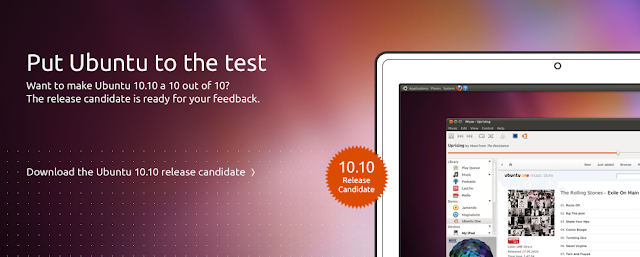
Download :-
Lets take a look at the Changes :-
1) Ubuntu 10.10 Gnome :-
- The GNOME base platform has been updated to the current 2.32 versions. This particularly includes the new dconf and gsettings API.
- Evolution was updated to the 2.30 version, which operates much faster compared to the version in Ubuntu 10.04 LTS.
- Shotwell has replaced F-Spot as the default photo manager.
- Gwibber has been updated to support the recent change in Twitter's authentication system, as well as changing the back end storage to improve performance.
- The Sound Indicator has been enhanced to include music player controls.
- The Ubuntu Software Center has an updated look and feel, including the new "Featured" and "What's New" views for showcasing applications, an improved package description view, and a "For Purchase" software category has been added. You can also now easily access your package installation history too.
- Ubuntu One: Polished desktop integration with new sign up and sign in process. Tighter integration with Ubuntu SSO. Nautilus enhancements for managing folder sync preferences. Faster file sync speed. Share links to music within the Ubuntu One Music Store.
2)Kubuntu 10.10 :-
- Kubuntu 10.10 RC comes with the latest KDE Software. KDE Platform, Workspaces and Applications were updated to 4.5.1.
- For 10.10 Beta, Kubuntu has merged the Desktop and Netbook images into one image featuring both the Plasma Desktop and Plasma Netbook workspaces. The appropriate workspace for your machine will be launched at login, you can also change the workspace in System Settings.
- Plasma Netbook now sports the Global Menu by default.
- The defaults web browser is now Rekonq, a KDE browser based on Qt Webkit.
- The new KDE bluetooth application collection Bluedevil is now installed by default.
- Pulseaudio is the default sound server to match other Ubuntu variants.
- KPackageKit updates bring a faster backend and an updated UI with an application based view. It also has new features such as a backup/restore tool for the list of installed packages.
- Kubuntu's installer, Ubiquity, now offers install of restricted packages during the OS install. Install starts after partitioning making it a quicker experience.
- Qapt-batch now replaces install-package as the update/batch-installer utility
- Qt was updated to the current 4.7 release and Qt Webkit to 2.0.
- Kubuntu Mobile Tech Preview is a new variant with a workspace suitable for smart phones.
3)Ubuntu Netbook Edition 10.10:-
- The new Unity interface is now the default in Ubuntu Netbook Edition. It includes places for launching applications and browsing files, semantic search through the usage of zeitgeist, optimizing vertical space with a global menu bar and maximizing application by default. A launcher is also available for keeping and dealing with mostly used applications. All favorites from UNE lucid or gnome panel items and desktop shortcuts are automatically transitioned to the launcher on first run.
- In addition to that, the date and time indicator now has a real calendar widget and is included by default.
- The standard photo management application has been switched to Shotwell and UNE comes will all goodness of the Desktop Edition too. Evolution is now performing a special mode more suited for netbook screen size.
- UNE needs graphical driver acceleration to be able to run. Otherwise, you should be warned about missing them and will be logout and proposed to run standard ubuntu desktop session.
Installation :-
Installing Ubuntu 10.10 is similar to the previous versions of Ubuntu but its more fun coz of the new Ubiquity Installer with improved looks. Follow the steps here for installation.
Bootsplash.png)
Installation+intializing.png)
Install.png)
Install.png)
Install.png)
Install.png)
Install.png)
Install.png)
Install.png)
Install.png)
Install.png)
Install.png)
Install.png)
LoginScreen.png)
Gnome+.png)
Desktop :-
Take a look at the Ubuntu 10.10 desktop screenshots :-


Enjoy Ubuntu 10.10 :)